
Designing a Human-in-the-Loop Workflow That People Actually Use
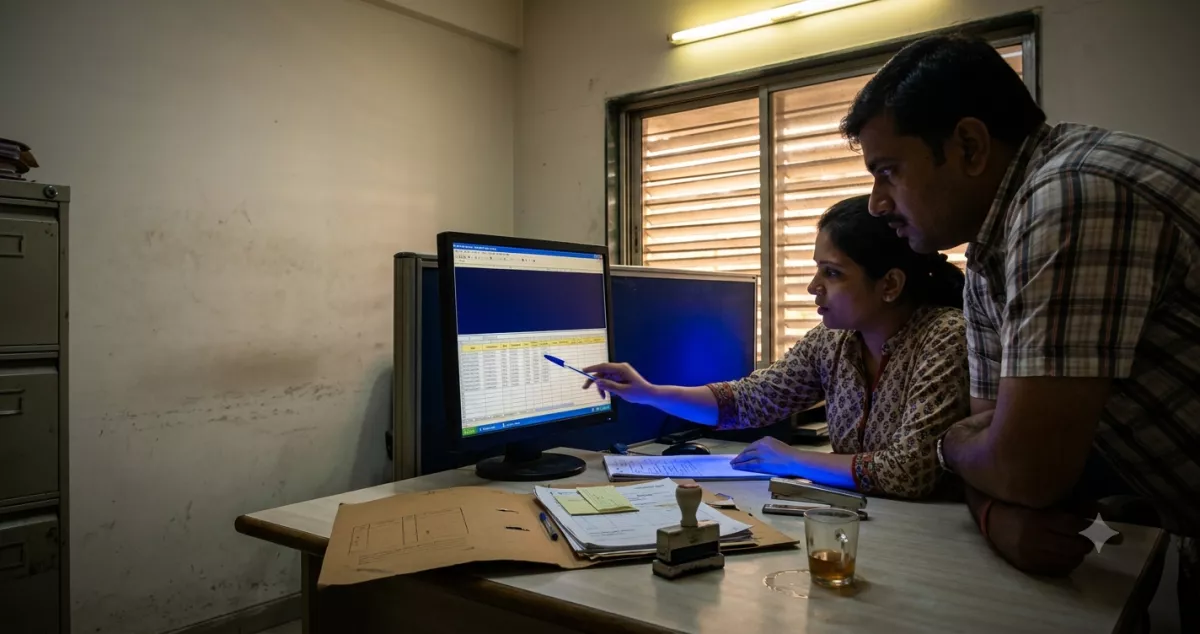
Trellis Cargo, a freight forwarder in Surat, built an automation that drafted customer quotations from an inbound enquiry. Accuracy was good. The team approved 96% of drafts unchanged. By week six, two of the three coordinators were approving in batches of forty without reading, and one of those batches went out with a currency error to a Rotterdam client.
Nothing was wrong with the model. The human-in-the-loop workflow was designed badly. Ninety-six percent approval is not a success metric, it is a warning that the review step has stopped carrying information.
- A review step that almost always says yes will eventually always say yes. Approval fatigue is the default outcome, not the exception.
- Route by risk and confidence, not by volume. Only the uncertain and the expensive should reach a person.
- Place the human-in-the-loop step before irreversible actions and after cheap, reversible ones.
- Make the reviewer's job "spot the problem", not "read everything". Show the diff, highlight the doubt.
- Track override rate as your core health metric. When it falls near zero, tighten the routing or raise autonomy deliberately.
Approval fatigue is the real failure mode
People are poor at sustained vigilance on tasks that are almost always fine. This is not a discipline problem, it is a well-known property of attention, and every human-in-the-loop design has to account for it. If a reviewer sees 200 items a day and 195 are correct, their brain learns that clicking approve is the right move. It usually is. That is exactly the problem.
Teams respond by adding rules. Read carefully. Sign your name. Two approvers for large values. All of it slows the workflow down without restoring attention, because the underlying ratio has not changed. The fix is structural: send fewer, more interesting items to the human.
Where to place the human-in-the-loop step
The placement rule is about reversibility and cost, not about how clever the automation is.
| Action | Reversible? | Cost if wrong | Human placement |
|---|---|---|---|
| Draft an internal summary | Yes | Trivial | None. Let it run. |
| Update a CRM field | Yes | Low | After the fact, sampled audit |
| Send a customer quotation | No | High, commercial and reputational | Before, but only when uncertain |
| Issue a refund or credit note | No | Direct money | Before, always, above a threshold |
| Post to accounting ledger | Partly | Audit exposure | Before, for flagged fields only |
| Reply to an angry customer | No | High | Before, always |
Trellis Cargo had put the human before every quotation regardless of value. Once they routed on value and confidence together, coordinators saw about one in six drafts instead of all of them, and they started reading again.
Routing: who sees what
Designing the review screen
Reviewers are not proofreaders, and a human-in-the-loop screen that asks them to be one will fail. Build the screen so the question is "is this flagged thing right?" rather than "is anything here wrong?".
- Source document on one side, generated output on the other, always aligned.
- Low-confidence fields visually marked. Everything else quiet.
- Show what changed from the last similar item, so a difference stands out.
- Keyboard shortcuts for approve, reject and next. Mouse-only review is slow review.
- A target of under 30 seconds per item, measured, not assumed.
- No infinite scroll. One item, one decision, then the next.
Sizing the review queue
A human-in-the-loop step is a staffing commitment, not just a design choice. Most teams write the routing rules and never do the arithmetic on how much human time those rules just committed. Do it before you build, on the back of an envelope.
Trellis Cargo handled about 340 enquiries a week. Reviewing every draft at a median 45 seconds an item is a little over four hours a week, which sounds harmless and is exactly how the rubber-stamping started: four hours spread across three people is fifteen minutes a day each, too small to schedule and too easy to clear in one distracted burst.
After routing on confidence and value together, roughly one in six drafts reached a person. About 57 items a week. But the median review time went up to 90 seconds, because the items that arrive are now the genuinely uncertain ones, so total review time only fell to around 85 minutes. That is the trade you are actually making. You are not buying back hours; you are converting shallow attention on everything into real attention on the few things that can hurt you.
A working rule of thumb: budget one reviewer-hour per 40 to 60 flagged items, and check that the queue owner can clear a day's flow inside half a shift. If they cannot, the routing is too wide, or the queue needs a second named person, or you have found a process that is not ready for automation yet. Any of those three is a legitimate answer. Discovering it in month four, from a backlog, is not.
The four metrics that matter
Escape rate is the one people skip and the one that tells the truth. If mistakes are still reaching customers, the human-in-the-loop step is decorative. Trellis Cargo only discovered theirs because a client emailed about the currency.
Graduating a workflow to more autonomy
Autonomy in a human-in-the-loop workflow should be earned in steps, on evidence, and it should be reversible. A sensible progression: run in shadow with no output for two weeks, then human approval on everything for a month, then confidence-based routing, then value-based routing only, then sampled audit. Each step needs a stated exit criterion, usually an override rate below a set level across a set volume.
Build the rollback too. If override rate jumps after a model or process change, the workflow should drop back to full review automatically. Very few teams build this. The ones that do sleep better.
Where human-in-the-loop review does not work
Honest limits. Review is close to useless when the output is long and the error is subtle. Nobody catches one wrong clause in a nine-page contract at a rate of 200 a day. For those cases you need structural validation, comparing against a template or a rules engine, rather than eyes.
It also fails when the reviewer lacks the context to judge. Asking a junior coordinator to approve a customs classification they have no training in produces a rubber stamp with a name attached, which is worse than no review because it creates false assurance.
And there is a cost trade-off. A well-designed human-in-the-loop workflow adds latency and headcount attention that pure automation does not. On low-value, high-volume, reversible work, the right answer is sometimes no review at all plus a good undo path. Deciding that deliberately is fine. Drifting into it is not.
Trellis Cargo is a composite illustration and the figures above are examples.
- Send fewer items to humans so the ones you send get real attention.
- Place review before irreversible actions, and use sampled audits everywhere else.
- Design the screen around flagged doubt, never around reading everything.
- Watch override rate and escape rate. Approval rate alone is a comfort metric.
- A human-in-the-loop workflow earns autonomy in stages, and needs the automatic rollback built before you need it.
DL Minds Performance Team
Digital marketing and web development expert at DL Minds. Passionate about helping businesses grow through innovative technology solutions and strategic digital marketing.